Panel Setup: Data
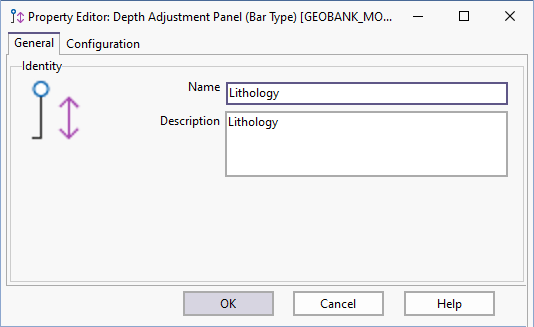
On the Data page of the Property Editor: Depth Adjustment Panel (Bar Type) dialog, click the Build button to open the SQL Editor and load or create a query to return data for the panel.
The SQL Editor shows the SQL statement as well as a list of standard column names required by the process. The result set must include the project code, site identifier and depth range as well as any other data required for annotation purposes, horizontal scaling, etc.
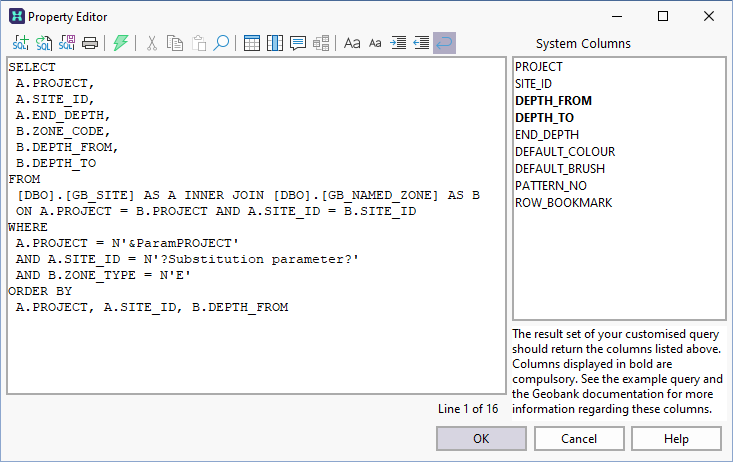
This dataset should also provide any parameter values that are required to perform database updates (as discussed below).
Initially Micromine Geobank will display a very basic SQL query, based on the standard Micromine Geobank data model. Use this example as a basis for designing your own query. The exact syntax of your query will depend on your database structure and the selection criteria needed to return the correct input dataset. If the corresponding column names in your database happen to be different, you can use aliases in the SQL statement to ensure that all the columns are named correctly.
You will need to use appropriate substitution parameters to allow the end user to select the project code and drillhole identifier. For example:
SELECT
A.PROJECT,
A.SITE_ID,
A.INTERVAL_SEQ,
A.INTERVAL_TYPE,
A.DEPTH_FROM,
A.DEPTH_TO,
A.LITH,
B.PATTERN_NO
FROM
dbo.GB_LITHOLOGY AS A
LEFT OUTER JOIN
dbo.GB_LKP_CODE AS B
ON
((B.CATEGORY = 'LITHOLOGY')
AND
(B.CODE = A.LITH))
WHERE
A.PROJECT = '?Select the project?'
AND A.SITE_ID = '?Select a drillhole?'
AND((A.PARENT_INTERVAL IS NULL)
OR (A.PARENT_INTERVAL < 1))
ORDER BY
A.PROJECT,A.SITE_ID,A.DEPTH_FROM,A.DEPTH_TO
The downhole dataset for a given panel must return data for a single drillhole; the PATTERN_NO column can be used to specify a hatch pattern for the interval; the records must be sorted on depth; overlapping depth intervals are not supported.
Usually, all panels will display data for the same drillhole. However, this is not a strict requirement. It is possible to compare datasets from two different drillholes if required. To enable this feature, the substitution parameters must cater for the selection of more than one site identifier, using slightly different prompts in each case.
Force refresh after saving any adjustment
All datasets affected by an adjustment are refreshed automatically after the changes have been saved to the database. However, in some configurations a dataset may be affected by "hidden" changes that are not made directly by Micromine Geobank. In such cases, you can explicitly request a refresh by selecting this check box option.
Enabling this option may adversely affect performance.
If you plan to use an annotation column for this panel, you should define a lookup dataset for the annotation code. The optional annotation column is nominated on the Panel Setup: Editing tab of the Property Editor.