Import GM Data: DD-Core Logging
The Data Transfer component of the Configuration Manager contains tools used to import and export data for Micromine Geobank.
The Import GM Data: DD-Core Logging option imports data from Micromine Geobank Mobile csv files (to be used in the event of sync failure or for offline machines) for the Diamond Drilling GM Profile.
To import GM data,
-
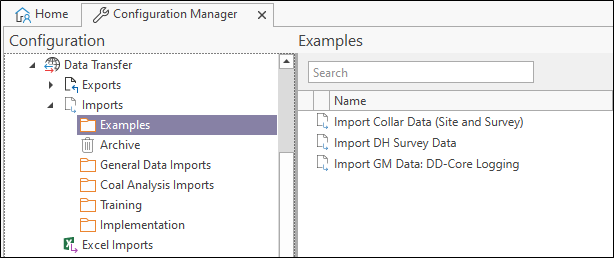
Open the Configuration Manager.
-
Select the Data Transfer | Imports | Examples option.
-
Double click the Import GM Data: DD-Core Logging option.
The Property Editor: Import form opens.
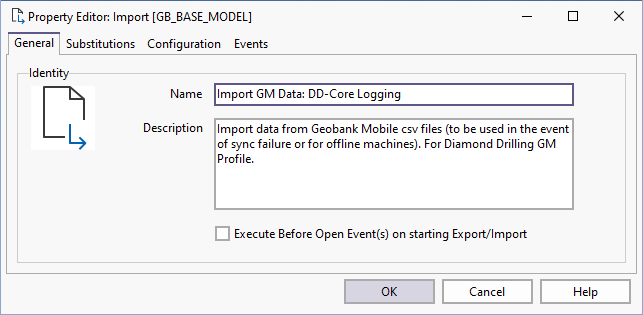
The General tab contains the Name and Description of the import tool.