Unattended Options
The Unattended Options tab of the Graphic Report Property Editor lets you set the folder path for the export of graphic reports to file. This is particularly important when you intend to run graphic reports in Unattended mode. A folder path must be set for graphic reports to be run unattended.
Export File Path
Folder Path
Use the Browse button to navigate to and select the folder to which graphic reports are to be exported.
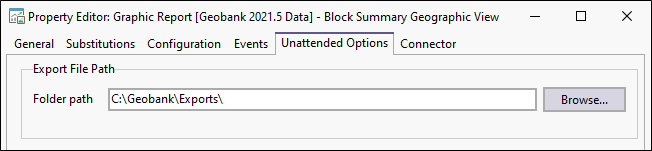
It is recommended that a folder for each report type is setup, so that it is easy to then find reports based on filename with the date and time recorded after the drillhole_ID (or other field) used to uniquely identify each report generated.
Note: Verify that the configured printer in Options is set to Microsoft Print To PDF
You can configure connection properties for the graphic report using the Graphics Report Data Connectivity.