Code Filters
A Code Filter is an additional piece of logic evaluated during the Destination Rule selection process. This filter is designed to evaluate a simple logic statement that returns “True” or “False”.
Within the Production Scheduler and the Tactical Scheduler, Code filters can be added through scripts, as well as through the Destination Rules Step.
In most situations, Code Filters created in the Destinations Rules step should suffice; however, if the logic to be evaluated is quite complex or there are many Code Filters required, it may require the Code Filters to be created through scripts.
Launching the Code Editor
Creating Code Filters
-
In the Destinations Rules Step click the Codes Filters button.

-
The Block Filter Code Editor dialog will appear, where you can add a new code filter and manage with it as described below.
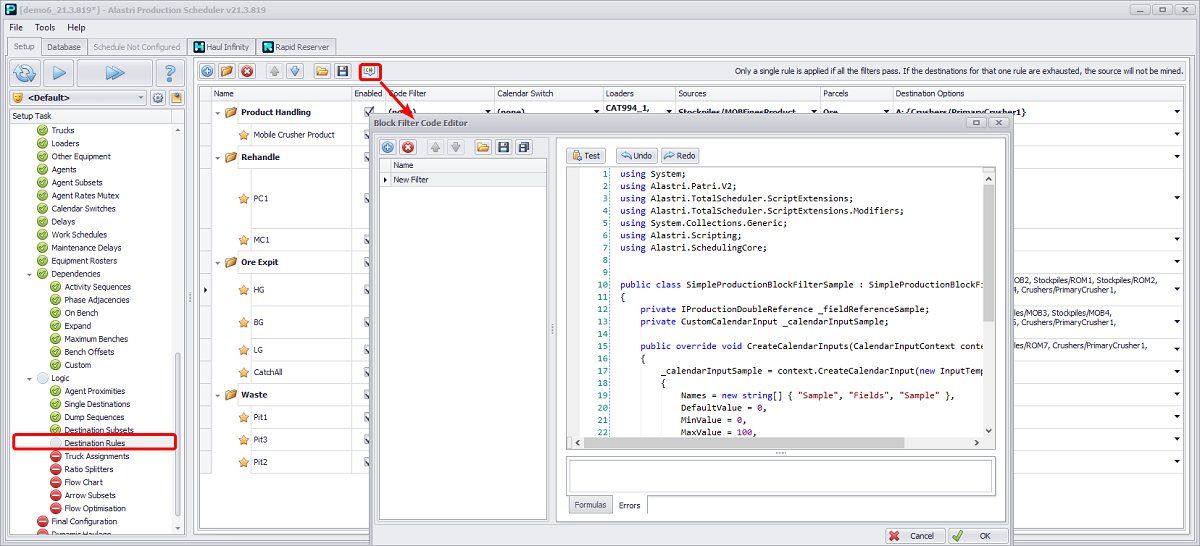
Code Filters button and Block Filter Code Editor dialog
Code Filter Toolbar items
| Button | Description |
|---|---|

|
Add a new Code Filter |

|
Remove selected Code Filter |


|
Move selected Code Filter Up or Down in the list |

|
Load in Code Filter from file |

|
Save selected Code Filter |

|
Save all Code Filters within the project |
Code Editor panel
The Code Editor panel is where the Code Filters are written. It comprises a toolbar, text editor, and two helper tabs (Formulas and Errors) located down the bottom.
Toolbar
| Button | Description |
|---|---|

|
Compiles the code. If any errors are present, errors will be displayed in the Errors tab located at the bottom of the editor. |

|
Undo <CTRL + Z> or Redo <CTRL + Y> previous actions |
Text Editor
The text editor is where the code for the filters is written.
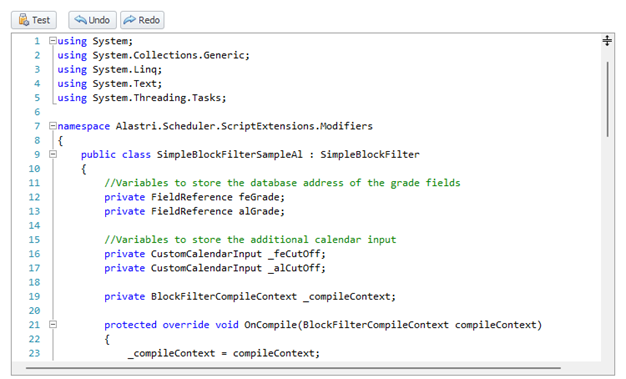
Text Editor with an example formula
Formulas tab
The Formulas tab contains a list of helper functions that can be used to help construct Code Filters. They are designed to provide a high level of abstraction to the user and make creating Code Filters easier by reducing the amount of code needed to be written.
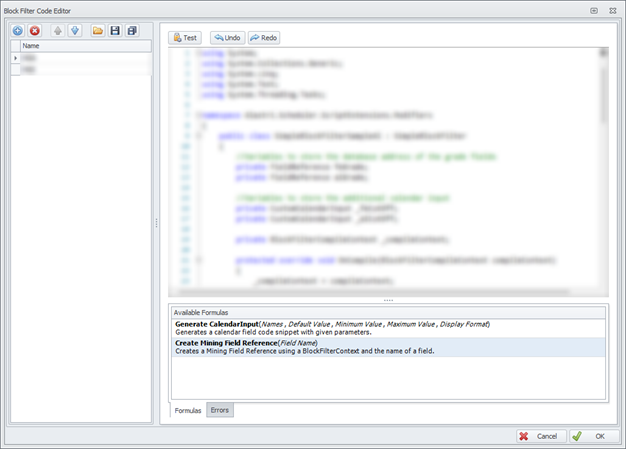
Available formulas examples in the Formulas Tab
| Formulas | Description |
|---|---|
| Generate Calendar Input | Used to generate the code required for creating a new Custom Calendar Input |
| Create Mining Field Reference | Used to create the code required to create a Field Reference for a selected Mining field. |
Errors Tab
The Errors tab will show any errors which were encountered during the compilation of the Code Filters. Errors will be listed one by one, and the line where the error occurred will also be shown alongside the error.
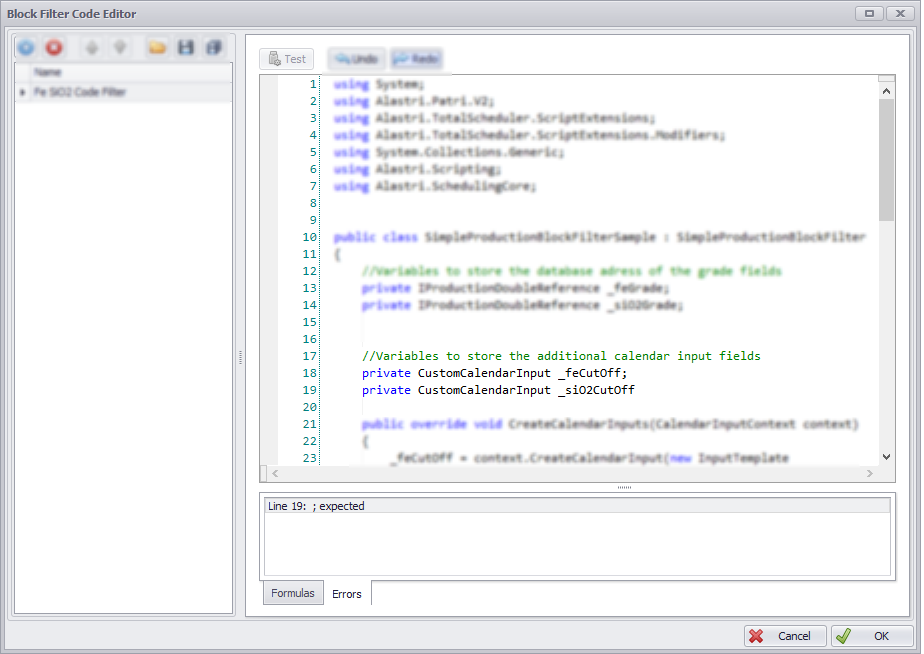
Errors Tab
To help better understand the use of Code Filters, the following use case is presented. It is important to note that this example is performed in APS, but the same steps can be followed in ATS with a few small differences. Full code examples for both schedulers, which produce the exact same result, are provided.